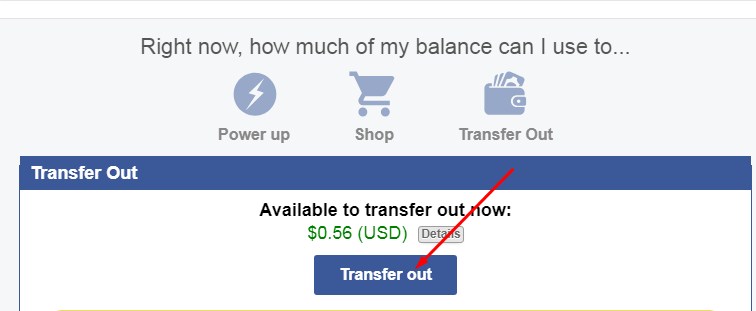
How to Transfer Open this page=> https://secure.empowr.com/FBBank/Balance.aspx Click on Transfer out A small window will be open as Make setting this page as By clicking on Continue. Wait for some time A small window will open as Click on I’m done By clicking on detail, you can see your coins in vault. From here, you can transfer to ether wallet by clicking on transfer. Keep in mind. Transfer from Saving Vault to your ETH wallet NOTE : Your ETH should be already set as on your Setting Page before you are doing this process. You will see the detail on balance & check that status.
Difference Between Pre-coins and Coins All the earnings you see in your balance (on empowr), they are divided into two types: 1) Pre-Coins 2) Coins In empowr , you earn and win official empowr Coins and pre-coins as follows: You earn pre-coins when others Like or comment on your posts(photos, status, videos, blogs). The mission wheel converts pre-coins to Coins. Our pre-coins are used to upgrade our power level. We do not withdraw Pre-coins. our pre-coins are used to upgrade our power level. We can only transfer out earned coins after maturation. How to earn coins You earn Coins from services and products you provide (sell) to other empowr citizens. 1-Selling - You keep 85% of the final sales price when the buyer marks the item as “Item Received” - All marketplace items can be purchased with coins, marketplace prizes from the wheel and PayPal. 2-Inviting new empowr citizens When you invite someone, You can get one fou...
How To Create Blog Aliya Arooj Here is a complete process step by step to create a blog post. Open this link http://www.empowr.com/PremiumBlogs/BlogEditor.aspx?_ga=2.244819718.246891792.1530755175-386817400.1530755175 OR Blogs are created by clicking on the "Blog" tab on your left navigation bar Here a window will be opened as You can include videos, images and texts, and links to other websites. If you want to insert image. If you want to insert/edit video in the blog Copy the youtube and paste here then click on submit After adding all as you wish press save then again a search term box will be opened as Fill all relevant search terms according to your blog post and publish it. When you publish a blog, click on arrow marked option, not on save as
Complete Your Account 1) Verifying your mobile number (VOIP or landlines are not accepted) 2) Adding an Ether wallet to your account 3) Activating your wallet by adding $2 or more in Ether to it. Step 1: To verify your mobile number, you must enter it into the field and click "Continue". You'll then receive a text message with a 4-digit code to insert into the next page You'll then receive a text message with a 4-digit code to insert into the next page to confirm the ownership and authenticity of the phone. to confirm the ownership and authenticity of the phone. You'll then receive a text message with a 4-digit code to insert into the next page to confirm the ownership and authenticity of the phone. You'll then receive a text message with a 4-digit code to insert into the next page to confirm the ownership and authenticity of the phone. Step 2: To add an Ether wallet to your account, sim...
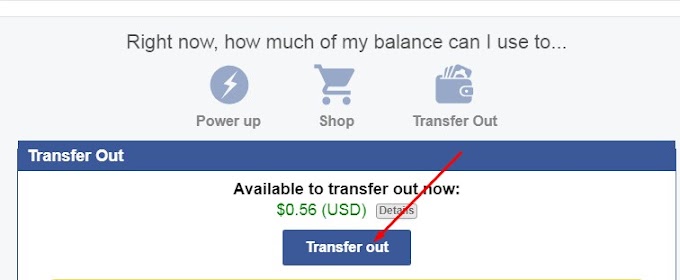 Cash Out