Difference Between Pre-coins and Coins All the earnings you see in your balance (on empowr), they are divided into two types: 1) Pre-Coins 2) Coins In empowr , you earn and win official empowr Coins and pre-coins as follows: You earn pre-coins when others Like or comment on your posts(photos, status, videos, blogs). The mission wheel converts pre-coins to Coins. Our pre-coins are used to upgrade our power level. We do not withdraw Pre-coins. our pre-coins are used to upgrade our power level. We can only transfer out earned coins after maturation. How to earn coins You earn Coins from services and products you provide (sell) to other empowr citizens. 1-Selling - You keep 85% of the final sales price when the buyer marks the item as “Item Received” - All marketplace items can be purchased with coins, marketplace prizes from the wheel and PayPal. 2-Inviting new empowr citizens When you invite someone, You can get one fou...
Complete Your Account 1) Verifying your mobile number (VOIP or landlines are not accepted) 2) Adding an Ether wallet to your account 3) Activating your wallet by adding $2 or more in Ether to it. Step 1: To verify your mobile number, you must enter it into the field and click "Continue". You'll then receive a text message with a 4-digit code to insert into the next page You'll then receive a text message with a 4-digit code to insert into the next page to confirm the ownership and authenticity of the phone. to confirm the ownership and authenticity of the phone. You'll then receive a text message with a 4-digit code to insert into the next page to confirm the ownership and authenticity of the phone. You'll then receive a text message with a 4-digit code to insert into the next page to confirm the ownership and authenticity of the phone. Step 2: To add an Ether wallet to your account, sim...
Transfer Out(Cash Out) Conditions Normal Account - ERC 20 wallet attached to empowr. - Account must not have a Dormant one. Your account will be considered "dormant" if you have not closed all daily targets for 16 days from the last 30 days. - Coins should be 90 days matured from the month of their incorporation or released. For example. If you release your founder coins/legacy coins or earn coins from sales or win through mission wheel in May throughout the month on any date and do not spend these earned coins in any activity. Your maturation will start on 1st June. June= 1st month=30 days July= 2nd month=60 days August=3rdmonth=90 days You are qualified for your cash out(transfer out) in the 1st week of September. Understanding 90 days matured cash out. Suppose you earn 1000$ in April. Your 90 days maturation starts on 1st May, June and ends in 30th July you spend 300$ in May, now you have 1000-300=...
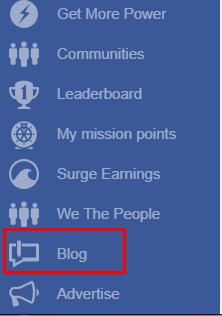
How To Create Blog Aliya Arooj Here is a complete process step by step to create a blog post. Open this link http://www.empowr.com/PremiumBlogs/BlogEditor.aspx?_ga=2.244819718.246891792.1530755175-386817400.1530755175 OR Blogs are created by clicking on the "Blog" tab on your left navigation bar Here a window will be opened as You can include videos, images and texts, and links to other websites. If you want to insert image. If you want to insert/edit video in the blog Copy the youtube and paste here then click on submit After adding all as you wish press save then again a search term box will be opened as Fill all relevant search terms according to your blog post and publish it. When you publish a blog, click on arrow marked option, not on save as
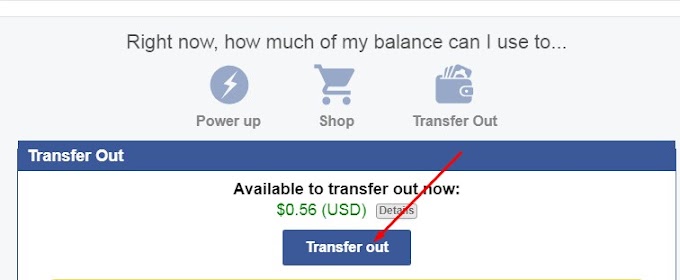 Cash Out