Difference Between Pre-coins and Coins All the earnings you see in your balance (on empowr), they are divided into two types: 1) Pre-Coins 2) Coins In empowr , you earn and win official empowr Coins and pre-coins as follows: You earn pre-coins when others Like or comment on your posts(photos, status, videos, blogs). The mission wheel converts pre-coins to Coins. Our pre-coins are used to upgrade our power level. We do not withdraw Pre-coins. our pre-coins are used to upgrade our power level. We can only transfer out earned coins after maturation. How to earn coins You earn Coins from services and products you provide (sell) to other empowr citizens. 1-Selling - You keep 85% of the final sales price when the buyer marks the item as “Item Received” - All marketplace items can be purchased with coins, marketplace prizes from the wheel and PayPal. 2-Inviting new empowr citizens When you invite someone, You can get one fou...
empowr Account Setting Open Account setting http://profile.empowr.com/Navigation/EditAccountInfo.aspx You can visit your account settings at any time to: Edit account info (edit password, username, email, location, time zone, phone number, etc.) Control notifications (manage email and mobile notifications) Manage privacy settings Delete account Profile URL At the top of your account settings, you can create a custom profile URL. This is your own unique URL identifier that you can use to invite others to join empowr, as well as to entice them to purchase coins: Each time someone you sign up to purchases coins, you'll earn matching coins equal to the amount of the purchase added to your Founder Coins Balance. Lastly, if you’ve enjoyed working with your Guide so far and think they would be a good match with the friends and family you invite to the platform, you can set your Success Coach to automatically be assi...
Quick Start Guide About empowr I'm Aliya Arooj from Faisalabad Pakistan. I am working on empowr since 2014 regularly. Here I m success coach and trainer. blog This site is not a place to " get rich quick ". You're building a business – which means working hard, and incurring costs towards building your business – although almost all those costs can be paid using your earnings! So first you need to build your business.If you draw some from your establishing business then it will not grow better. No cost to participate It is free to post, comment, or Like anything on empowr.com . You might even get paid for it! Liking “Likes” are how you say you like someone's post or comment. To Like, simply click on the Like link at the bottom of the comment/post. When you Like someone’s post, you’re helping them earn. That’s because ALL Likes generate earnings for the person who posted the content.
Get More Power Open Get More Power Page https://secure.empowr.com/FBBank/SuperPowers.aspx?_ga=2.83685713.655910080.1529931992-1391993658.1529931992 Make your power level page setting as How to set earning accelerator set at fast
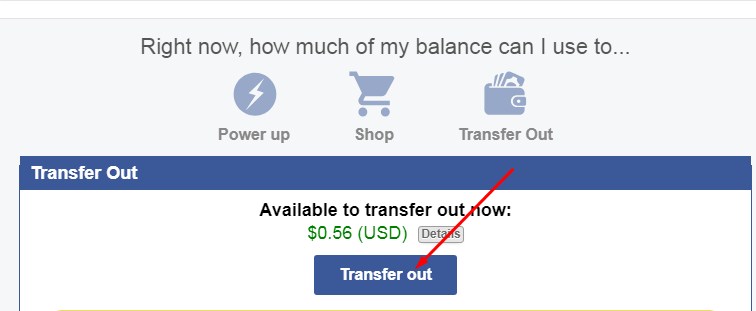
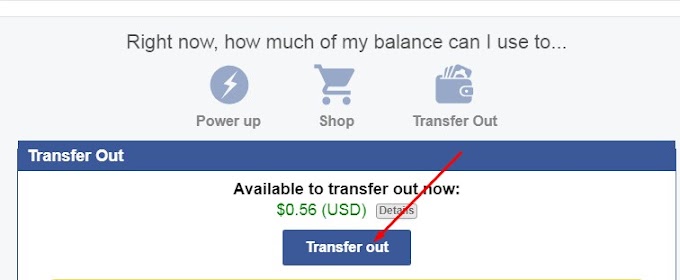
How to Transfer Open this page=> https://secure.empowr.com/FBBank/Balance.aspx Click on Transfer out A small window will be open as Make setting this page as By clicking on Continue. Wait for some time A small window will open as Click on I’m done By clicking on detail, you can see your coins in vault. From here, you can transfer to ether wallet by clicking on transfer. Keep in mind. Transfer from Saving Vault to your ETH wallet NOTE : Your ETH should be already set as on your Setting Page before you are doing this process. You will see the detail on balance & check that status.
 Cash Out